How to Protect Python Source Code Before Shipping (No Cython)
You are about to hand someone a .whl, a zip archive, or an installer. Inside it, your pricing logic, your routing rules, your proprietary data transforms — all sitting in plain .py files that any recipient can open in a text editor.
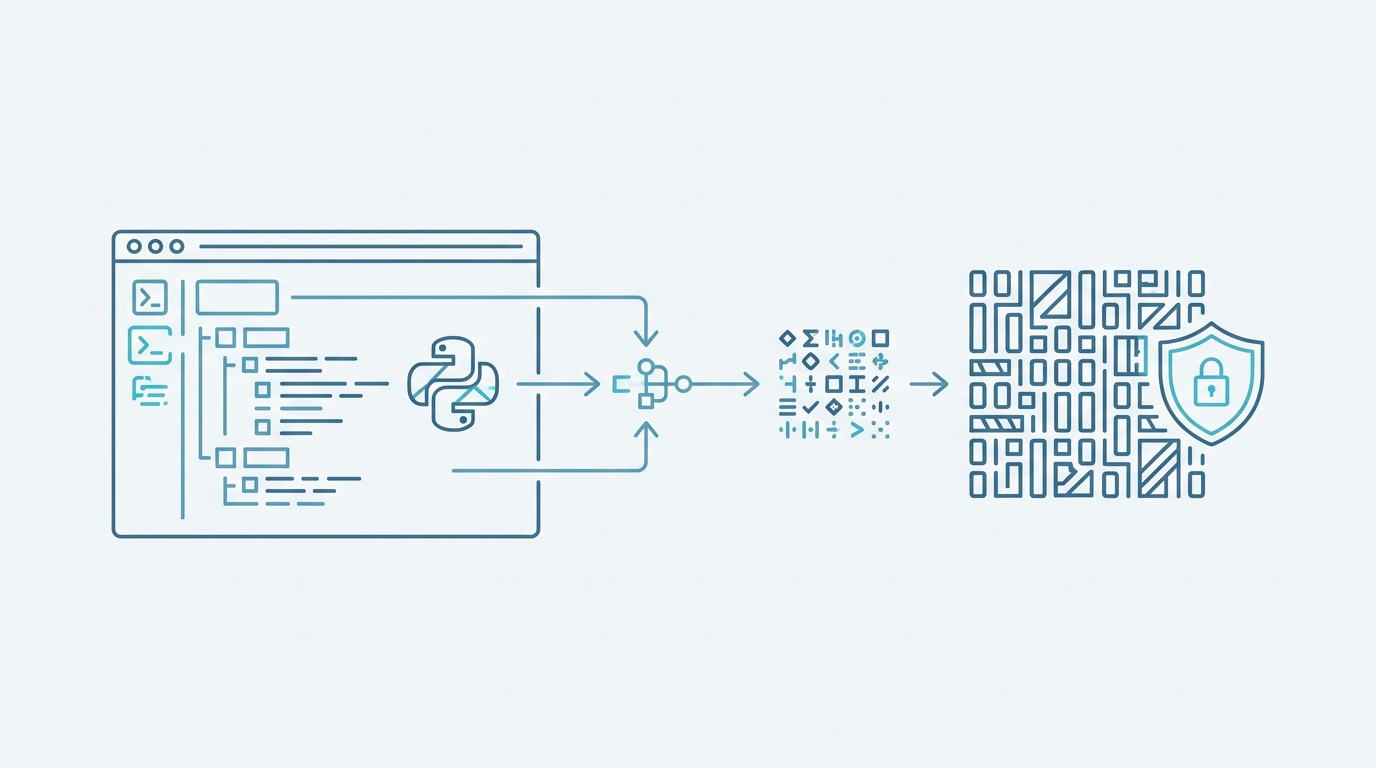
This article walks through the exact steps to protect Python source code before shipping: install Py2Native with uv, prepare your existing project, compile plain Python into native machine code, and verify that nothing readable made it into the artifact. No .pyx files, no manual cythonize call, no C extensions to maintain. When you’re done, you ship .pyd / .so / .dylib binaries and your source stays yours.
Why Shipping Plain Python Source Is a Risk
Python source is a text file. That is the whole problem:
- Anyone with the distribution can read it. A wheel is a zip. Unzip it and every module is right there in UTF-8.
- Anyone can copy it. Proprietary algorithms travel easily when they are 40 lines of readable code.
- Anyone can modify it. Patch a license check, change a price, remove a guard — no compiler in the way.
- Bytecode is not protection either.
.pycfiles keep names, constants, and structure. Disassemblers turn them back into something close to your original logic.
Wrapping it in an installer does not help. Tools like PyInstaller bundle your modules as source or bytecode inside the archive, so extraction is a matter of unpacking, not reverse engineering. We compared the two approaches in detail in Py2Native vs PyInstaller — the short version is that bundling and compiling solve different problems, and only one of them removes the source.
Compiled native code is different in kind. A .so contains machine instructions and linker metadata, not the Python you wrote. A determined attacker can still study assembly, but there is no def calculate_margin(...) to read.
Py2Native does this compilation with a zero-config workflow: you write normal Python, run one build command, and get a native binary. Cython sits under the hood, but you never touch it — no Cython syntax, no .pxd authoring, no manual transpile step, no C toolchain wiring. If you want the deeper comparison of “plain Python vs. hand-written Cython” as a protection strategy, that’s covered in Python Code Protection Without Cython Syntax.
Prerequisites for Compiling Python to Native Code
Before the first build, confirm your environment:
- CPython 3.11–3.15, including the free-threaded builds 3.14t and 3.15t.
- A platform C compiler and linker. MSVC on Windows, GCC on Linux, Clang on macOS. Py2Native orchestrates the compile and link steps; it does not ship a compiler.
- A supported platform and CPU. Windows 8+, manylinux2014 or musl Linux, or macOS, on x86-64 or ARM64.
- Internet access during the build. Python distributions and libraries are downloaded as part of the process.
uv, used for everything in this article. Notpip.
The open-source core (py2native) is MIT licensed. The commercial Pro plugin (py2nativepro) adds JWT license verification with string compression. You only need Pro if you want to gate your binary on a signed license key.
Step 1: Install Py2Native with uv
Add the compiler to your project:
uv add py2native
That pulls in the open-source core and its dependencies:
| Dependency | Version | Role |
|---|---|---|
cython |
>= 3.2.4 | Python-to-C transpiler (driven for you) |
setuptools |
>= 82.0.1 | Provides the distutils C compiler interface |
uv |
>= 0.11.8 | Package manager for the embedded environment |
auditwheel |
>= 6.6.0 | Linux only — repairs wheels for manylinux compliance |
Notice what is not on the list of things you do: installing Cython manually, writing .pyx files, authoring .pxd declarations for your own code, or calling cythonize yourself.
If you need license verification, add the Pro plugin too:
uv add py2nativepro
Step 2: Prepare Your Plain Python Project
Py2Native compiles the modules you point it at. A few project-level rules apply:
- Organize your sources so no two modules share a name. Duplicate module names across your source files are not supported — rename one. This is the constraint that trips people up most often.
- Leave third-party libraries alone. They stay as Python source, unmodified, and work as-is with minimal or no configuration. Your code becomes native; your dependencies keep working the way they always did.
- Keep
__init__.pyfiles in place. They are namespace markers, not compilable code, so they are skipped during compilation. In library mode you still need them.
Adding Pro license verification
License verification is the one place where you add a declaration file by hand — and it is deliberately small. You need a .pxd file that declares the runtime verification function, and you call it from your code with your license key.
Create _p2n_bootstrap.pxd:
cdef _runtime_verify_es256_jwt(token, expected_iss=*, expected_aud=*)
Then call the verification logic in your Python code:
from _p2n_bootstrap cimport _runtime_verify_es256_jwt

licenseString = read_license_file()  # your own loader

license = _runtime_verify_es256_jwt(
    licenseString,
    expected_iss="RSJ Software GmbH",
    expected_aud="TimestampGIT",
)
The Pro plugin bakes the signature verification code and the public key into the executable. Only the public key ships. The elliptic-curve verification itself is compiled code inside your binary — no third-party crypto library sitting next to it, waiting to be swapped out or inspected. The result is maximum security with maximum flexibility: you control when and where the check runs, and the check itself is not patchable Python.
Step 3: Compile Your Python to a Native Binary
The build command takes a main module plus your sources:
uv run py2native build main.py *.py
Adjust the globs to match your layout, or use --base to set the source root:
uv run py2native build main.py *.py --base src/
Here is what happens when that command runs. You don’t manage any of these stages — Py2Native does, in order:
- Glob sources — the build orchestrator expands your patterns under
--base. - Plugin dispatch — the plugin manager runs Pro license checks and loads the platform plugin.
- Cython → C — a bootstrap
.pyxis generated from templates, Cython runs with its embed/shared/embed-module options, and every source module is transpiled to C. - C → objects — the platform compiler compiles the generated C with the right flags for Windows, Linux, or macOS.
- Link — shared object linking in library mode, executable linking otherwise.
- Wheel (optional) — a PEP 427 wheel is produced containing the compiled binary.
- Embed (optional) — a deployment directory is created and managed by
uv.
Choosing your output
# Shared library instead of an executable: mypkg.pyd / mypkg.so / mypkg.dylib
uv run py2native build main.py *.py --library

# PEP 427 wheel containing the compiled library
uv run py2native build main.py *.py --library --wheel dist/

# uv-managed deployment directory
uv run py2native build main.py *.py --embed build/deploy

# GUI app — no console window
uv run py2native build main.py *.py --no-console
Library mode produces a wheel with three pieces: one compiled shared library containing all your modules, an __init__.py that acts as a meta-path finder redirecting import mypkg.submodule into the native library, and a __main__.py that enables python -m mypkg. Both Python files are required — the first bridges Python’s import system to your native code, the second gives you a runnable entry point.
Building with a Pro license
uv run py2native build main.py *.py --license license.dat --public public.pem
--license requires a valid Pro license JWT; --public points at the public key. If you don’t have a keypair yet, the Pro plugin generates and signs them:
uv run py2native keygen private.pem public.pem
uv run py2native sign --private private.pem payload.txt license.dat
Step 4: Verify the Compiled Output
Run these checks before you ship anything.
1. Confirm you have binaries, not source. In library mode, the wheel contents should look like this:
ls dist/mypkg/
# __init__.py   __main__.py   mypkg.so
No .py files other than the two generated bridge files. On Windows the library is .pyd; on macOS, .dylib.
2. Run it. Execute the compiled binary, or install the wheel and import the package:
python -c "import mypkg; mypkg.main()"
python -m mypkg
3. Check that your source isn’t readable inside the binary. Pick a distinctive function or docstring from your code and search for it:
grep -a "def calculate_margin" ./main
You should get nothing back. The same applies to disassembly: you will find machine code and metadata, not your module’s readable body.
4. Inspect the license claims (Pro). The Pro plugin adds a show command that displays a JWT’s claims, optionally verifying the signature against the public key:
uv run py2native show --public public.pem license.dat
Use it to confirm the issuer, audience, and expiry your binary will check at runtime before you distribute the license.
Troubleshooting Common Issues
“No C compiler found.” Install the platform toolchain: MSVC on Windows, GCC on Linux (build-essential on Debian-family), Clang on macOS with Xcode command line tools.
Build fails with duplicate module errors. Two of your source files share a name. Rename one. This is a known constraint, not a bug.
__init__.py seems to be ignored. It is — intentionally. It’s a namespace marker, not compilable code. Make sure it’s present in your source tree so it ends up in the library-mode wheel alongside the compiled library.
My __main__.py disappeared from the sources. In library mode, __main__.py is excluded from compilation because the wheel builder generates it. Don’t fight it — write your entry logic in a normal module and let the generated __main__.py call it.
License verification fails. Check two things: that _p2n_bootstrap.pxd declares the runtime function exactly as shown, and that the JWT was signed with the private key whose public half you passed via --public. Then debug the token itself:
uv run py2native show --public public.pem license.dat
Someone monkey-patched a third-party library. That’s expected and by design. Third-party libraries remain Python source so you stay compliant with their licenses — including LGPL libraries that must remain replaceable by the end user. Your proprietary modules are the ones compiled to native code.
FAQ
Do I need to write Cython code to protect my Python source?
No. Py2Native compiles plain Python to native machine code. You write normal Python; Cython is used under the hood but hidden completely. No .pyx files, no manual cythonize step, no C extensions to write. The only exception is the optional Pro license verification, where you create a .pxd file to call the verification logic.
Will my third-party Python libraries still work after compilation?
Yes. Third-party libraries are left unmodified and work as-is with minimal or no configuration. They remain as Python source, so monkey-patching is still possible, but your proprietary code is compiled to native machine code.
How do I add license verification to my compiled Python app?
Use the Pro plugin. You create a .pxd file that declares cdef _runtime_verify_es256_jwt(token, expected_iss=*, expected_aud=*), then in your Python code call from _p2n_bootstrap cimport _runtime_verify_es256_jwt and license = _runtime_verify_es256_jwt(licenseString, expected_iss="RSJ Software GmbH", expected_aud="TimestampGIT"). The plugin bakes the signature verification code and public key into the executable.
What are the system requirements for Py2Native?
You need CPython 3.11–3.15 (including free-threaded 3.14t & 3.15t), a platform C compiler/linker (MSVC on Windows, GCC on Linux, Clang on macOS), Windows 8+, manylinux2014/musl Linux, or macOS, and an x86-64 or ARM64 CPU. Internet access is required to download Python distributions and libraries.
Wrapping Up
Protecting Python source before shipping comes down to one decision: does your distribution contain your source, or doesn’t it? PyInstaller-style bundling answers “yes, just zipped differently.” Py2Native answers “no” — your modules become native machine code, third-party libraries keep working untouched, and there is no Cython syntax anywhere in your project.
The workflow is three commands deep: uv add py2native, uv run py2native build main.py *.py, and a look at the output directory. Add --library and --wheel when you’re distributing a package, --embed when you want a uv-managed deployment directory, and the Py2Native Pro plugin’s --license flag when you need signed JWT verification baked into the binary.
Start with the MIT-licensed core, build your current project, and check for yourself that grep finds nothing it shouldn’t.
Related posts
- Python Code Protection Without Cython Syntax: Py2Native vs. Raw Cython
- How to Compile Python to Native Code with Py2Native
- Automate Python Binary Distribution with Py2Native
