How to Protect Python Source Code From Being Read (Without Writing Cython)
You have a Python product. You ship it. And somewhere in the deployment directory sits billing/rules.py, in plain UTF-8, ready for anyone with a shell and thirty seconds of curiosity.
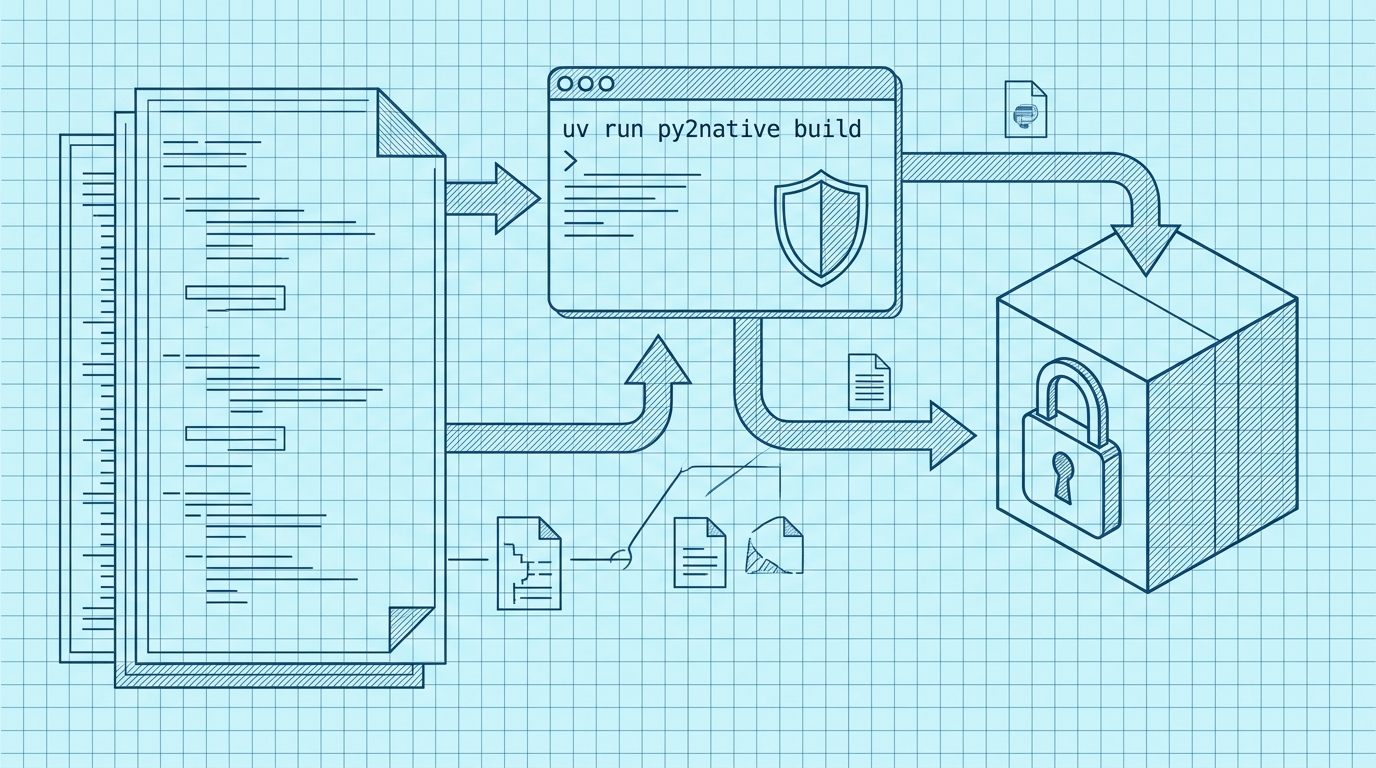
That is the exact problem this article solves. By the end, you will have taken a normal Python project and produced a native binary that contains machine code instead of readable source — using uv run py2native build, with no Cython syntax, no .pyx files to maintain, and no manual cythonize step in your Makefile.
If you want the conceptual background first, read What Is Python to Native Compilation?. This article stays on the how-to.
Why Your Python Source Code Is an Open Book (and What to Do About It)
Python source files are text. That is the whole story. import does not compile ahead of time; the interpreter reads .py files, or cached bytecode, and executes it. Anyone who can cat a file can read your logic, your pricing rules, your proprietary algorithms, and your API keys if they were careless enough to inline them.
The usual defenses fall into two buckets:
- Obfuscation — renaming symbols, stripping docstrings, encoding string literals. It changes how the source looks but the interpreter still needs something it can parse. A determined reader with
astand patience gets it back. - Packaging — PyInstaller-style bundling. It hides files inside an archive, which is convenient for distribution, but the archive is extractable and the payload is still Python.
Both approaches slow down reading. Neither prevents it.
Native compilation is different in kind. Your Python is transpiled to C and then compiled to machine code by a real C compiler. The output is an ELF, Mach-O, or PE binary — the same class of artifact as any C program. There is no source text to extract because there never was any in the output.
Py2Native is the zero-config way to do that. It uses Cython under the hood, but you never touch it: you write plain Python, run one build command, and get a native artifact. Third-party libraries stay as they are and keep working.
Prerequisites: What You Need Before You Start
- CPython 3.11–3.15, including the free-threaded 3.14t and 3.15t builds.
- A platform C compiler/linker: MSVC on Windows, GCC on Linux, Clang on macOS.
- A supported OS: Windows 8+, manylinux2014 or musl Linux, or macOS.
- A supported CPU: x86-64 or ARM64.
- Internet access — the build downloads Python distributions and libraries.
- uv, the package manager used for every command in this article. Never
pip.
If you do not have uv yet:
# macOS / Linux
curl -LsSf https://astral.sh/uv/install.sh | sh

# Windows (PowerShell)
powershell -c "irm https://astral.sh/uv/install.ps1 | iex"
Step 1: Install Py2Native with uv
Add the compiler to your project:
uv add py2native
The core compiler is MIT licensed and open source — full compilation, uv embedding, and cross-platform output. There is an optional commercial plugin, py2nativepro, which adds JWT license verification and string compression. You do not need it to get a native binary; Step 5 covers it if you want to gate your binary behind a signed license. Pricing and what is included are covered in Py2Native Pro License Pricing.
Step 2: Prepare Your Python Project for Compilation
Py2Native is close to zero-config, but a few layout rules save you from confusing errors:
- Avoid modules with identical names across source files. Your project cannot contain two files that both resolve to the same module name.
__init__.pyis a namespace marker, not compilable code. It is skipped during compilation — do not put logic in it.- For library mode, keep
__main__.pyout of your sources. The wheel builder generates it. - Leave third-party libraries alone. They are not compiled; they run as-is with minimal or no configuration. Only your custom code becomes native.
A layout that compiles cleanly looks like this:
myapp/
├── main.py            # entry point
├── core/
│   ├── __init__.py    # namespace marker only
│   ├── rules.py
│   └── engine.py
└── pyproject.toml
Step 3: Compile Your Python to a Native Binary
From your project root:
uv run py2native build main.py *.py
Under the hood, the pipeline runs like this:
- Glob sources —
build.pyexpands your glob patterns under--base. - Plugin dispatch —
pluginManager.extendBuild(args)runs platform hooks and, if present, Pro license checks. - Cython → C —
compiler.pygenerates abootstrap.pyxfromtemplates.py, invokes Cython (--embed --shared --embed-modules), and transpiles your modules to C. - C → objects — the platform compiler compiles the generated
.cfiles with the right flags. - Link —
link_shared_object()in library mode,link_executable()in executable mode. - Wheel (optional) and Embed (optional) — see Step 4.
What you did not do: write Cython syntax, create .pyx or .pxd files for your own modules, or call cythonize by hand. That is the hard way, and it is out of scope here — the point of Py2Native is that you keep writing Python and get machine code out the other end.
Step 4: Choose Your Output Format (Executable, Library, or Wheel)
The same sources can produce four different artifacts. Pick based on how you ship.
Executable mode (the default) produces a standalone binary for your platform:
uv run py2native build main.py *.py
Library mode (--library) produces a shared library — .pyd on Windows, .so on Linux, .dylib on macOS — containing all your modules. The wheel it produces also contains two required files:
__init__.py— a meta-path finder that redirectsimport mypkg.submoduleinto the compiled shared library.__main__.py— makespython -m mypkgwork.
Both are required. Without __init__.py, Python’s import system cannot find your native modules; without __main__.py, there is no runnable entry point.
uv run py2native build main.py *.py --library
Wheel mode (--wheel <dir>) emits a PEP 427 wheel containing the compiled .pyd/.so:
uv run py2native build main.py *.py --library --wheel dist/
Embed mode (--embed <dir>) creates a uv-managed deployment directory you can ship as a unit:
uv run py2native build main.py *.py --embed deploy/
Step 5: Add License Verification with the Pro Plugin (Optional)
The Pro plugin is closed source and adds three things: JWT license verification, string compression, and three extra CLI commands — keygen, sign, and show.
Generate a signing keypair:
uv run py2native keygen private.pem public.pem
This produces an EC P-256 keypair. Keep private.pem offline; public.pem ships with your build.
Sign a payload into a license file:
{
  "iss": "RSJ Software GmbH",
  "aud": "TimestampGIT",
  "sub": "acme-corp",
  "exp": 1798761600
}
uv run py2native sign --private private.pem payload.json license.dat
Inspect (and optionally verify) the resulting claims:
uv run py2native show --public public.pem license.dat
Then build with license enforcement:
uv run py2native build --license license.dat --public public.pem main.py *.py
Wiring the check into your code
The Pro plugin bakes the signature verification code and the public key into the executable. Only the public key is stored there, and the elliptic-curve verification itself is handled by compiled code inside the software — no third-party libraries are involved.
To call it, add a .pxd declaration file alongside your sources:
# _p2n_bootstrap.pxd — declaration for the verifier baked in by the Pro plugin
cdef _runtime_verify_es256_jwt(token, expected_iss=*, expected_aud=*)
And cimport it where you perform the check, passing the license string your customer supplies:
# license_guard.pyx
from _p2n_bootstrap cimport _runtime_verify_es256_jwt

def check_license():
    with open("license.dat") as f:
        licenseString = f.read()

    license = _runtime_verify_es256_jwt(licenseString, expected_iss="RSJ Software GmbH", expected_aud="TimestampGIT")
    return license
Because the issuer and audience are pinned at the call site, a token signed for a different product — or by a different key — does not validate. This gives you maximum security with the flexibility to ship one binary and issue per-customer licenses.
How to Confirm It Worked
Four checks, in order:
- Run the artifact. Execute the binary, or
python -m mypkgfor library mode, and confirm behavior matches your Python version. - Look for source files. In
--embedoutput, list the deployment directory (ls -R deploy/ordir /s /b deploy). Your.pysources should not be there. Same for the unpacked wheel contents. - Try to read the binary. Open it in a text editor or run
strings myapp | head. You will see machine code and table entries — notdef calculate_price(. - Pro only: test both directions. A valid
license.datpasses; tamper with one byte of the token or sign with a different private key and it fails.
Troubleshooting Common Issues
- “No C compiler found.” Install MSVC (Windows), GCC (Linux), or Clang (macOS). Py2Native needs a real linker; it cannot link with the interpreter alone.
- Duplicate module names. Two source files resolving to the same module name break the build. Rename one, or move it into a package.
__init__.pyerrors. Remember it is skipped. Move any logic out of it into a real module.- Library mode failures. Ensure
__main__.pyis not in the source list — the wheel builder generates it. - Pro license errors. Check that the JWT was signed with the private key matching the
public.pemyou passed to--public, and thatiss/audmatch the values pinned in your call. - Long first build. The build downloads Python distributions and libraries. Subsequent builds reuse the pristine venv.
FAQ
Do I need to know Cython to use Py2Native?
No. Py2Native compiles plain Python directly. You do not write Cython syntax, .pyx/.pxd files, or manual cythonize steps. The tool handles the Cython invocation internally. (The only .pxd in the Pro flow is the small declaration above.)
Can I still use third-party libraries? Yes. Third-party Python libraries are left unmodified and work as-is with minimal or no configuration. Only your custom code is compiled to native machine code.
How does license verification work with the Pro plugin?
The Pro plugin adds JWT license verification. You generate a keypair with uv run py2native keygen, sign a license with uv run py2native sign, and build with --license and --public. In your code, you include a .pxd file and call _runtime_verify_es256_jwt(token, expected_iss="RSJ Software GmbH", expected_aud="TimestampGIT"). The plugin bakes the signature verification code and public key into the executable.
What platforms are supported? Windows 8+, manylinux2014/musl Linux, and macOS, on x86-64 or ARM64 CPUs. CPython 3.11–3.15 is supported, including free-threaded 3.14t and 3.15t.
Conclusion
Protecting Python source code from being read comes down to one move: stop shipping Python. Compile your custom modules to native machine code, leave third-party libraries untouched, and keep writing plain Python while you do it.
The full workflow is four commands — uv add py2native, uv run py2native build main.py *.py, pick your output format, and optionally add --license/--public for signed licensing. No Cython syntax, no .pyx files, no manual cythonize step.
uv add py2native
uv run py2native build main.py *.py --embed deploy/
Try it against your own project today and run strings on the result. Then check Is Py2Native Worth It? if you want to weigh the build trade-offs before rolling it out.
Related posts
- Is Py2Native Worth It? A Cost-Benefit Analysis for Python Developers
- Compile Python to EXE Without Exposing Source Code
- Benefits of Compiling Python to Native Code
