
Compile a Python Script to a Native Executable Without PyInstaller
You have a Python script that does real work — a CLI, an internal tool, a piece of commercial software you sell — and you don’t want to ship it as readable .py files. The reflex is pyinstaller --onefile. The problem is that a PyInstaller bundle is a zip with a Python interpreter and .pyc files inside, and .pyc is a documented binary format with decompilers that have existed for years. Your “compiled” app is about as protected as a tarball.
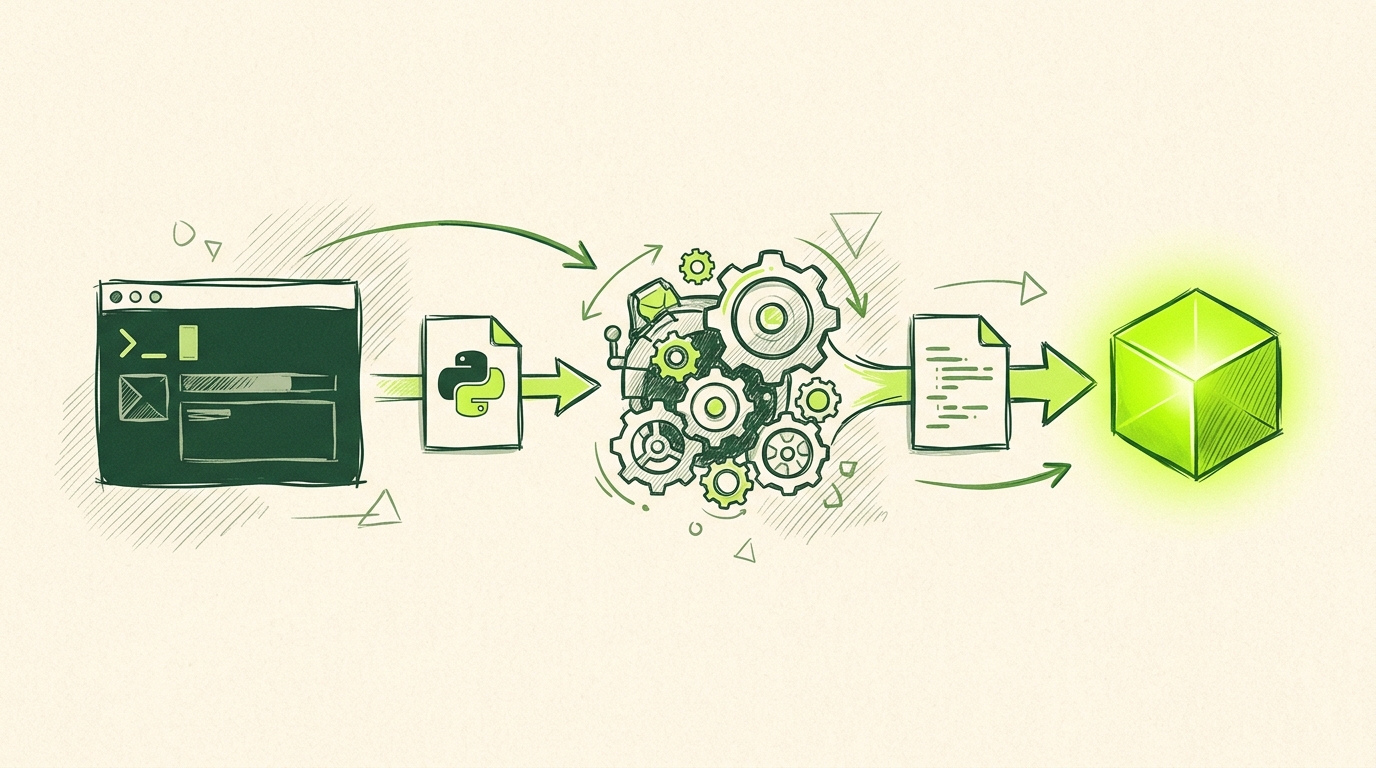
This article is the alternative path: compile the script to native machine code and ship one executable. No PyInstaller, no Cython syntax to learn, no .pyx files to maintain, no hand-rolled cythonize step. You’ll go from a plain Python project to a native binary with Py2Native, then verify the result, then optionally add a license gate.
Why Compile Instead of Bundle?
The distinction matters more than the marketing suggests.
- Bundling (PyInstaller and friends) copies the CPython interpreter next to your bytecode. Your code is still Python bytecode — it just lives inside a self-extracting archive. Extraction is a step in the tools themselves.
- Compilation (Py2Native) translates your modules into C via Cython, then invokes the platform C compiler and linker to produce actual machine code for the target CPU and OS.
Py2Native uses Cython under the hood but hides it entirely. You write plain Python. There’s no cdef, no type annotations you didn’t already want, no setup.py plumbing. The build orchestrator generates its own bootstrap.pyx from internal templates, invokes Cython with --embed --shared --embed-modules, compiles every .c file with platform-appropriate flags, and links either a shared library or an executable.
Two more things worth knowing before you start:
- Third-party libraries are left unmodified. They still run as normal Python source, so
requests,pydantic,rich, whatever — they work as-is with minimal or no configuration. Only your code becomes native. Many protection tools force you into extensive build configuration to handle dependencies; Py2Native doesn’t. __init__.pyis skipped during compilation, since it’s a namespace marker rather than compilable code.
Now the walkthrough.
Prerequisites
| Requirement | Detail |
|---|---|
| CPython | 3.11–3.15, including free-threaded 3.14t and 3.15t |
| C toolchain | MSVC on Windows, GCC on Linux, Clang on macOS |
uv |
≥ 0.11.8 — Py2Native uses it for environment and deployment management |
| Network | Needed to download Python distributions and libraries |
| Platform | Windows 8+, manylinux2014/musl Linux, macOS; x86-64 or ARM64 |
Confirm the toolchain is reachable before you build, because a missing linker is the number-one cause of confusing failures:
# Linux
gcc --version && ld --version

# macOS
clang --version

# Windows (Developer Command Prompt)
cl
Step-by-Step: Compile Your Script to a Native Executable
Step 1: Install Py2Native with uv
Create or enter a uv project and add the open-source compiler:
uv init myapp && cd myapp
uv add py2native
If you’re working inside an existing environment rather than a managed project, uv pip install py2native does the same job. Every command below is invoked as uv run py2native ... so it always runs against the project environment.
Step 2: Prepare your project
A minimal layout looks like this:
myapp/
├── pyproject.toml
├── main.py
├── core.py
├── report.py
└── license.dat        # only if you use the Pro plugin
Two constraints to check now:
- Module names must be unique across all source files you pass to the build.
utils.pyat the top level andutils.pyinside a subpackage will collide. - Don’t rely on
__init__.pycontaining logic — it’s skipped.
Your entry point stays ordinary Python:
# main.py
import argparse
from core import run_pipeline
from report import render

def main() -> int:
    parser = argparse.ArgumentParser(prog="myapp")
    parser.add_argument("--input", required=True)
    args = parser.parse_args()
    print(render(run_pipeline(args.input)))
    return 0

if __name__ == "__main__":
    raise SystemExit(main())
Step 3: Build the native executable
uv run py2native build main.py *.py
That’s the whole command. Behind it, the orchestrator:
- Expands the glob patterns under
--base(defaults to the current directory). - Runs the plugin dispatch hook (
pluginManager.extendBuild(args)), which is where Pro licensing checks happen if the plugins are installed. - Generates a
bootstrap.pyxand transpiles every source file from Python to C. - Compiles the resulting
.cfiles with the platform’s compiler and flags. - Links an executable for the target platform —
.exeon Windows, no extension on Linux and macOS.
Useful flags at this stage:
# keep the source tree somewhere other than the current directory
uv run py2native build main.py *.py --base src

# suppress the console window on Windows (GUI apps)
uv run py2native build main.py *.py --no-console
Step 4: Build a wheel for distribution (optional)
If you want to distribute your compiled code as an installable package rather than a standalone binary, switch to library mode and ask for a wheel:
uv run py2native build main.py *.py --library --wheel dist
Library mode produces a shared library (.pyd, .so, or .dylib depending on platform) containing all your modules. The wheel that whl.py assembles contains three things:
- the single compiled shared library,
__init__.py— a meta-path finder that redirectsimport mypkg.submoduleinto the shared library,__main__.py— the generated entry point that makespython -m mypkgwork.
Both of those Python files are required and generated for you. __init__.py bridges the import system to the native library; __main__.py provides the runnable entry point. In library mode __main__.py is excluded from your input sources, since the wheel builder writes it.
Step 5: Create an embeddable deployment directory (optional)
When “single executable” really means “a directory I can drop on a server and run,” use embed mode:
uv run py2native build main.py *.py --embed deploy
This produces a uv-managed directory containing the executable plus pinned dependencies, so the target machine doesn’t need a configured Python environment. It’s the right shape for on-premise installs and container images.
Step 6: Add license verification with the Pro plugin (optional)
For commercial software you often want the binary to refuse to run without a valid, signed license. That’s what the closed-source py2nativepro plugin adds: ES256 (EC P-256) JWT verification compiled into the executable, with only the public key stored in the binary.
First, generate a keypair and issue a license — the plugin registers three CLI commands:
# generate an EC P-256 keypair
uv run py2native keygen private.pem public.pem

# sign a JWT payload into license.dat
uv run py2native sign --private private.pem payload.json license.dat

# inspect the claims, optionally verifying the signature
uv run py2native show --public public.pem license.dat
Then build with the license and public key:
uv run py2native build main.py *.py --license license.dat --public public.pem
The elliptic-curve verification logic is compiled code in the plugin — no third-party crypto library is linked in. And because the plugin bakes the signature verification routine and the public key into the executable, you can call it directly from your own source instead of shelling out.
You do that with a small declaration file. It’s the only Cython-shaped artifact in the project, and Py2Native handles the transpilation — you never run Cython yourself.
# _p2n_license.pxd
from _p2n_bootstrap cimport _runtime_verify_es256_jwt

cdef _runtime_verify_es256_jwt(token, expected_iss=*, expected_aud=*)
That declaration binds your module to the verification routine the plugin compiled in. Your call site is a single line:
# entry module — compiled by the Pro plugin during the normal build
license = _runtime_verify_es256_jwt(licenseString, expected_iss="RSJ Software GmbH", expected_aud="TimestampGIT")
Drop it at startup, right after you read the token from disk or an environment variable, and branch on the result before your main() runs. Checking iss and aud explicitly means a token signed for a different product or issuer won’t unlock your binary even if the signature is valid.
For the full signing and claim-validation workflow, see How to Sign and Verify JWT License Keys for Python Apps.
How to Confirm It Worked
Don’t assume — check four things.
1. Run the binary. It should behave exactly like the script:
./main --input samples/data.csv
2. Confirm it’s actually a native binary. This is the part people skip.
# Linux / macOS
file ./main
# ./main: ELF 64-bit LSB pie executable, x86-64 ... (Linux)
# ./main: Mach-O 64-bit executable arm64 ... (macOS)

# and confirm no bytecode got shipped alongside it
find . -name "*.pyc" -not -path "./.venv/*"
On Windows, check the target file’s properties — you should have a PE executable, not a directory of .pyc. In library mode you’ll see a .pyd/.so/.dylib instead.
3. Exercise third-party imports. Run a code path that touches every external library your app uses. This is the check that catches configuration problems early.
4. If you built a wheel, install it clean.
uv venv /tmp/cleanenv
uv pip install --python /tmp/cleanenv/bin/python dist/*.whl
/tmp/cleanenv/bin/python -m mypkg --help
If python -m mypkg works, the meta-path finder and __main__.py are wired correctly.
Troubleshooting Common Issues
error: unable to find vcvarsall.bat / gcc: command not found / xcrun: error
No C compiler on PATH. Install MSVC Build Tools on Windows, build-essential on Debian-family Linux, or the Xcode Command Line Tools on macOS. Re-run the version checks from Prerequisites.
Duplicate module names Py2Native requires unique module names across the source set. Rename the files or restructure into distinctly named packages. The build will not silently pick one.
ImportError on a third-party package at runtime
Third-party libraries stay as Python source, so they must be present in the runtime environment. In embed mode, uv handles this for you; for a bare executable, make sure the dependency is installed where the process can find it.
Monkey-patching still works (and that’s expected) Because third-party libraries remain plain Python, anything that patches them at runtime — test doubles, framework shims — continues to function. This is a deliberate trade-off: your code is native, the ecosystem around it isn’t. Don’t file it as a bug.
LGPL compliance LGPL libraries you ship remain replaceable by the end user. Keep that path open in your distribution; compiled application code doesn’t change your obligations there.
Pro license verification fails
Check three things in order: the --public key passed at build time matches the private key used to sign, the JWT hasn’t expired, and the expected_iss / expected_aud values in your call match the claims in the token. uv run py2native show --public public.pem license.dat prints the claims so you can compare directly.
Taking It Further: Protection and Licensing
Compiling instead of bundling raises the bar substantially: there’s no bytecode to decompile because there is no bytecode. That said, be honest about the threat model — see Is Compiled Python Really Unreadable? An Honest Look for where the boundary actually sits.
For commercial distribution, the Pro plugin closes the remaining gap: ES256 JWT verification compiled into the binary, public key embedded, private key never shipped. It composes with everything above — the same build command, one extra flag.
If you’re weighing alternatives, Cython vs Nuitka vs Py2Native: Which Protects Python Code? covers the trade-offs, and Python Code Protection Tools: What You Get for the Price compares what each option costs you in build configuration.
FAQ
Can I compile a Python script to a single executable without PyInstaller?
Yes. Py2Native compiles your Python code to a native executable using Cython under the hood, but you write plain Python — no Cython syntax or manual steps. Run uv run py2native build main.py *.py and you get a platform executable.
Does Py2Native work with third-party libraries?
Yes. Third-party Python libraries are left unmodified and work as-is with minimal or no configuration, unlike many other code-protection tools that require extensive build setup.
How is Py2Native different from PyInstaller?
PyInstaller bundles the Python interpreter and .pyc files, which can be extracted. Py2Native compiles your custom code to native machine code, providing stronger protection against reverse-engineering.
Can I add license verification to my compiled executable?
Yes, with the Pro plugin. It bakes ES256 JWT verification into the executable with only the public key stored in the binary. You declare the routine in a .pxd file and call it from your entry module; see our JWT guide for the signing side.
Do I need to know Cython to use Py2Native?
No. The compiler generates its bootstrap and transpiles your sources for you. The single exception is the optional license declaration file in Pro builds, which is two lines and never requires you to run cythonize yourself.
Conclusion
The PyInstaller habit is hard to break because it’s one command and it mostly works. But it solves packaging, not protection — and if your reason for compiling was that you didn’t want your source readable, bytecode in a zip doesn’t get you there.
Py2Native keeps the one-command ergonomics and changes the output: plain Python in, native machine code out, dependencies untouched.
uv add py2native
uv run py2native build main.py *.py
That’s the whole migration. If you’re shipping commercially, layer the Pro plugin’s JWT verification on top with --license and --public, and you’ve got a binary that’s both hard to reverse-engineer and gated on a signed key. Start at py2native.dev — install, build, and run file on the result. Seeing ELF or Mach-O instead of a zip is the moment it clicks.
Related posts
- How to Sign and Verify JWT License Keys for Python Apps
- Cython vs Nuitka vs Py2Native: Which Protects Python Code?
- Python Code Protection Tools: What You Get for the Price
